Android Tips

Internet Webed: Android Tips

Internet Webed: Android Tips

Showing posts with label Android Tips. Show all posts

Send WhatsApp Message Without Saving Number(100% Working)

This post will be helpful for those who daily use WhatsApp to send message to various people within a day. So far the option was to save the number and then search on whatsapp and then send the message. 
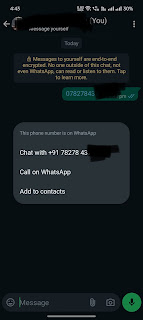
Using below steps, you won't need to save the number and you can send the messages instantly.

Here we go:
1. Copy the phone number that you need to send the message without saving it.
2. Open your Whatsapp, now you can open any chat but I recommend open your own chat (save your number if not)
3. Paste that number you already copied
4. The number will turn to blue i.e. it will be hyperlink.
5. Tap on the number and there you will get option "Chat with +91xxxx".
6. Click that option and new chat windows will open.
7. Congratulations, now you can send WhatsApp messages without saving the number.

{LATEST} Use WhatsApp Number On Multiple Devices

{LATEST} Use WhatsApp Number On Multiple Devices
Earlier WhatsApp being used in one device at a time only and if you have to use same number on different phone then it was not possible without deregisterimg on one device.
Now after the recent WhatsApp update, you can use the same number on multiple devices simultaneously. 
Yes, you heard me right. All the devices can send and receive the messages simultaneously and in real time.

Belo are the steps to do that:
1. Make sure you have one active device with your primary number running up WhatsApp.
2. On secondary device, install WhatsApp from playstore (or apple store). For desktop web.whatsapp.com is already being used to send/receive message.
3. On secondary device, open WhatsApp that you recently installed.
4. Do not enter the number to verify, instead click on 3 vertical dots on top right on the WhatsApp screen.
5. Click on Link As Companion option
6. A QR code will be displayed, now open primary device and click on 3 vertical dots and choose Linked Devices option.
7. Now scan the QR from secondary device.
8. Now, both the devices are ready to use simultaneously.

Please comment and let me know if you have any questions or query.

Magisk not granting root even granting permission fix

Hello All,

Those who are root lovers and developers who likes to use root phreak devices comes accross various issue. Same thing happened to me when I rooted my Oneplus 11r phone and installed magisk. Surprisingly when any app requires root acces example Root Explorer, I was not able to get root access even granting permission to it. Here is the solution to the issue.

Issue: Unble to get root acces even giving root permissions
Cause: Seems like bug in magisk or so (not confirmed)
Fix:
1. Open the app asking for root like AdAway
2. Deny the root permission(most important step)
3. Force close the app
4. Open Magisk manager
5. Go to SuperUser
6. Toggle the switch to enable root acces
7. Open the app and check root acces


Comment if you have any questions.

How to download youtube video and song on mobile

Hey All,

Forget the days when you have to spent lot of time on searching for how to download Youtube video or even to get or extract the song from the Youtube. Forget about playing with address bar, modifying to some weird URL that redirect to download the content. Here, I'm giving you the method to download Uoutube videos in one click using your android phone. Not only youtube, you can even download video from facebook, Instgram, twitter, voot etc while just watching them from the source app.

Download link: Official Site | APK | GoogleDrive
Download for Desktop : Setup

Method 1:
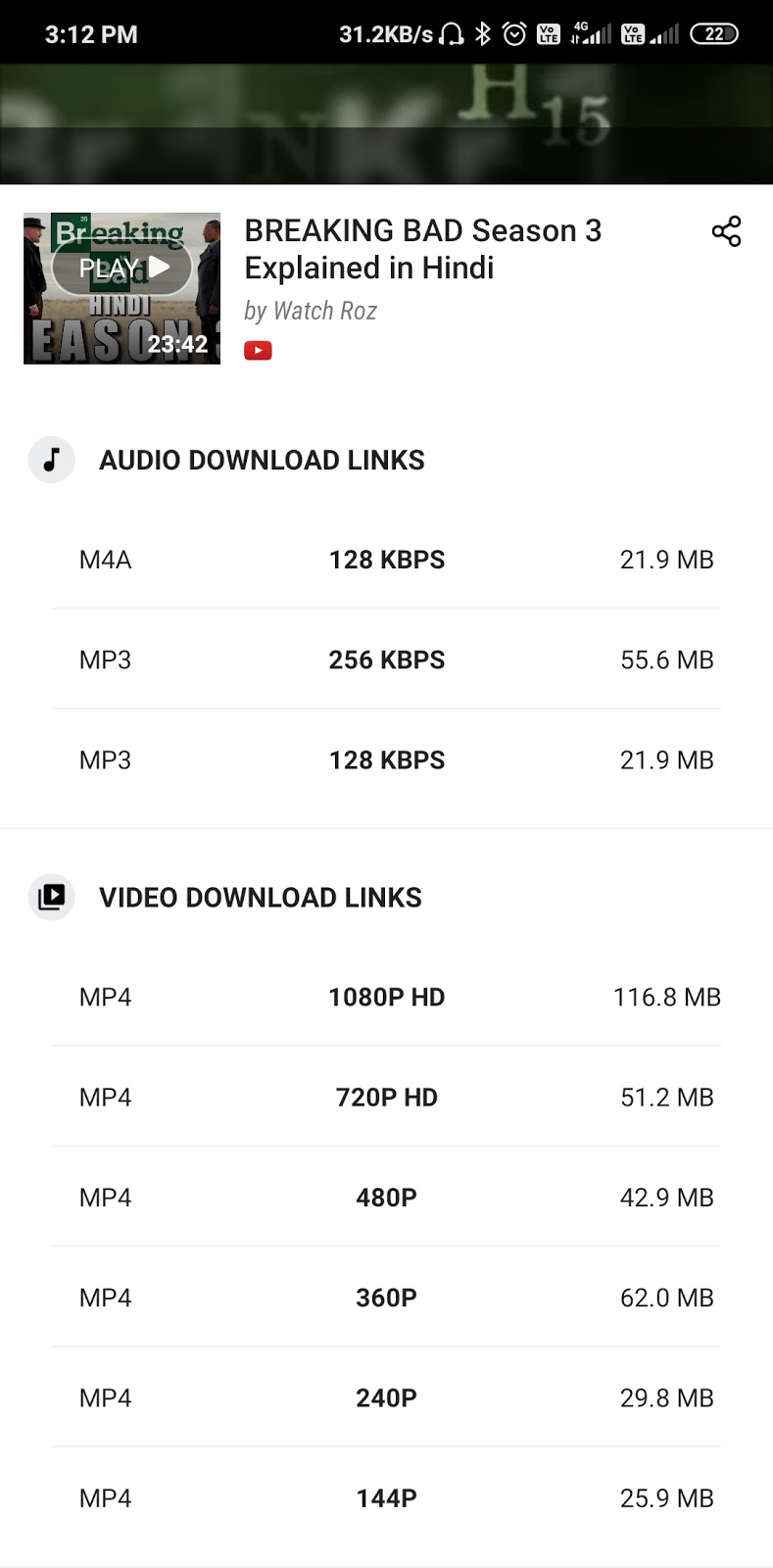
After installing the APK, just open the app and browse any video. you'll get the download links below the video. Choose your choice format(mp3, m4a, 1080p/720p etc) and click on start download.

Method 2 (with images):
1. Go to official Youtube app or Facebook and browse any video


2. Click on Share below the video and from list of options click on Download|Watch.


3. Links will be generated, now choose your format and download.


So, if you like my post then do share it and post any comments if you have any query.